



第一步:将 OnlyOffice 加入到 docker-compose.yml
  oods:
    image: onlyoffice/documentserver:latest
    container_name: seafile-oods
    networks:
      - seafile-net
    environment:
      - JWT_ENABLED=true
      - JWT_SECRET=seafile123     ##可以自定义
直接将以上代码插入到docker-compose.yml中,如图:
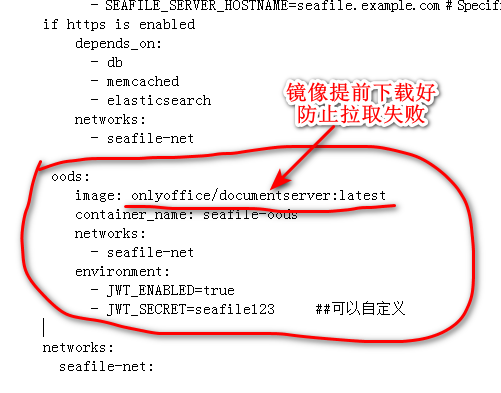
注意:JWT_SECRET 选项配置是安全认证秘钥 ,要和seahub_settings.py中的ONLYOFFICE_JWT_SECRET选项保持一致,内容可自定义填写
第二步:将 OnlyOffice 加入到 nginx conf 中
插入以下代码到seafile.nginx,为了防止出错,需要备份。
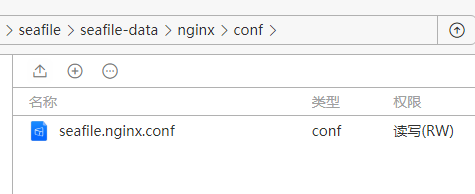
插入以下代码,这段代码其实是两端,分别插入在两头。以“server { listen 80; 为界”。
# Required for only office document server
map $http_x_forwarded_proto $the_scheme {
    default $http_x_forwarded_proto;
    "" $scheme;
}
map $http_x_forwarded_host $the_host {
    default $http_x_forwarded_host;
    "" $host;
}
map $http_upgrade $proxy_connection {
    default upgrade;
    "" close;
}
server {
    listen 80;
    ...

    location /onlyofficeds/ {
        proxy_pass http://oods/;
        proxy_http_version 1.1;
        client_max_body_size 100M;
        proxy_read_timeout 3600s;
        proxy_connect_timeout 3600s;
        proxy_set_header Upgrade $http_upgrade;
        proxy_set_header Connection $proxy_connection;
        proxy_set_header X-Forwarded-Host $the_host/onlyofficeds;
        proxy_set_header X-Forwarded-Proto $the_scheme;
        proxy_set_header X-Forwarded-For $proxy_add_x_forwarded_for;
    }
}
插入后效果如图:
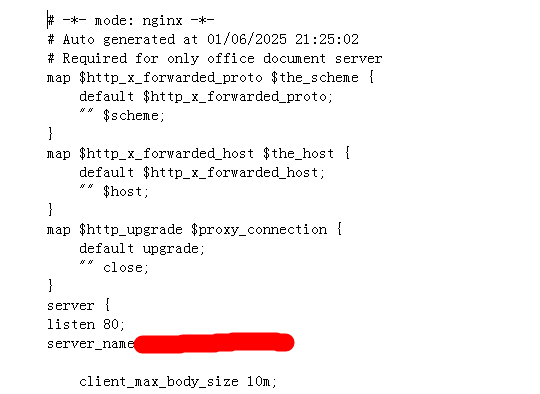
前半段代码如图
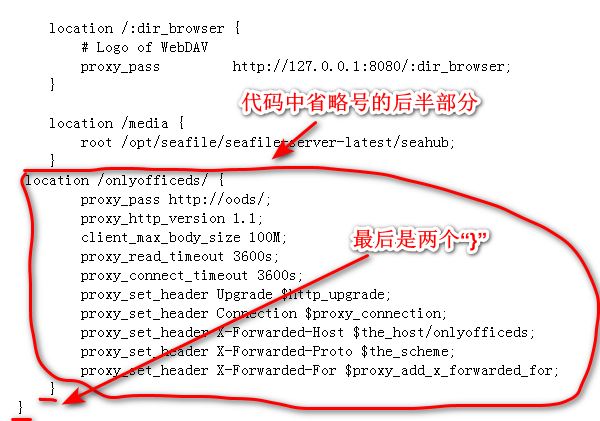
后半段代码如图
第三步:修改 seahub_settings.py
首先,找到文件
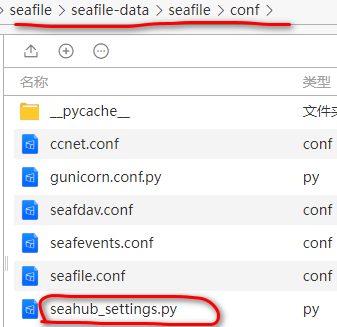
在最后直接插入代码:
# OnlyOffice
ENABLE_ONLYOFFICE = True
VERIFY_ONLYOFFICE_CERTIFICATE = True
ONLYOFFICE_APIJS_URL = 'https://ss.fffff.com:1234/onlyofficeds/web-apps/apps/api/documents/api.js'
ONLYOFFICE_FILE_EXTENSION = ('doc', 'docx', 'ppt', 'pptx', 'xls', 'xlsx', 'odt', 'fodt', 'odp', 'fodp', 'ods', 'fods')
ONLYOFFICE_EDIT_FILE_EXTENSION = ('docx', 'pptx', 'xlsx')
ONLYOFFICE_JWT_SECRET = 'seafile123'     ## 和docker-compose.yml 中保持一致
此时onlyoffice应该已经部署完毕,重启堆栈。如果出错,需要每个步骤都试一下。
其他:开启onlyoffice端使用https
直接使用反向代理设置即可,但是需要将seahub_settings.py中的网址改为“https”,如以上代码。

评论区